Add a Generated App Icon to Xcode: Asset Catalog Import and Checks
Import an AppIcon.appiconset into Xcode, select the correct target asset, and investigate missing images, alpha and stale app icons.
To add a generated app icon to Xcode, import the app icon set into the target’s asset catalog and make sure that target uses the set’s name. Downloading a ZIP is only the preparation step. Xcode must resolve the referenced image and include the asset in the application you build.
This guide covers the asset-catalog output from the iOS app icon generator. Apple also provides an Icon Composer workflow. Choose the workflow your project uses before replacing existing resources.
Illustration: an original generated concept, not a screenshot, customer result or platform validation record.
Unpack the generated icon set
Keep the ZIP as a reference and extract a working copy. In the current iOS output, the main set is iOS/AppIcon.appiconset. It includes AppIcon-1024.png and Contents.json. The AdditionalSizes folder contains optional derived PNGs; it is separate from the asset catalog entry.
Open Contents.json and confirm that its filename matches the PNG in the same folder. Filename case matters when a build runs on a different filesystem. Do not rename an image without updating the JSON reference.
The generator’s current set declares a universal iOS image. A project using another deployment target or an existing multi-appearance setup may need additional work. Inspect that project rather than deleting its other appearances automatically.
Add the set to the right asset catalog
In Xcode, find the asset catalog included in your application target. Drag the generated AppIcon.appiconset into it, or copy the folder into the catalog on disk and confirm it appears in the editor. Keep a backup of the original set until the replacement has built successfully.
If a set named AppIcon already exists, decide whether to replace its contents or give the new set a different name. Avoid keeping two indistinguishable sets and guessing which one the target will use. A development target and a production target can use different icon sets in the same repository.
Apple’s asset-catalog configuration documentation is the reference for the supported Xcode workflow. UI labels can vary by version, so record the Xcode version when you document the import for your team.
Select the application target’s icon source
Select the application target and inspect its app icon setting. Make the selected asset name match the imported set. If the project uses build configurations, confirm the setting for the configuration you are about to build.
This distinction explains a common failure: the new icon appears correctly in the asset editor, but the installed app still shows an older icon because another target or configuration points to a different set. Verify the target and scheme together before changing the artwork.
A project build checked with the exported catalog
On October 1, 2026, a disposable project imported the current AppIcon.appiconset and built the IconValidation scheme in Debug with Xcode 26.6 (17F113), iOS Simulator SDK 26.5 and an iOS 18.0 minimum target. The resulting app contained its executable, Assets.car, AppIcon60x60@2x.png and AppIcon76x76@2x~ipad.png. Both iPhone and iPad primary-icon entries selected AppIcon.
Download the original local verification project
The included project can reproduce the build with this command from its directory. It has no third-party dependencies and disables signing for the local simulator build.
xcodebuild -project IconValidation.xcodeproj -scheme IconValidation \
  -configuration Debug -sdk iphonesimulator \
  -destination 'generic/platform=iOS Simulator' \
  -derivedDataPath /tmp/iconvalidation-derived \
  CODE_SIGNING_ALLOWED=NO build
This verifies target membership, icon selection and resource compilation in a real project. GUI import, installed-icon appearance and App Store acceptance still require their own checks.
Build first, then inspect the installed app
Build the chosen scheme for a simulator or device. Read asset-catalog warnings as well as fatal errors. Then install that build and check the icon on the home screen at its real size.
A large preview can hide fine lettering and weak contrast. Use the small preview in App Icon Maker before export, then compare it with the installed app. Simulator presentation is useful local evidence; record a physical-device check separately when you perform one.
Diagnose an icon that does not update
Check these in order:
- The PNG exists at the filename declared in
Contents.json. - The asset catalog belongs to the application target.
- The target’s selected icon name matches the set.
- The intended scheme and build configuration were built.
- The new build was installed on the device being inspected.
If all five are correct, investigate caching with a disposable test application or a clean build. Do not treat a browser preview or an unzipped folder as proof that Xcode has compiled the intended resource.
Installed simulator example
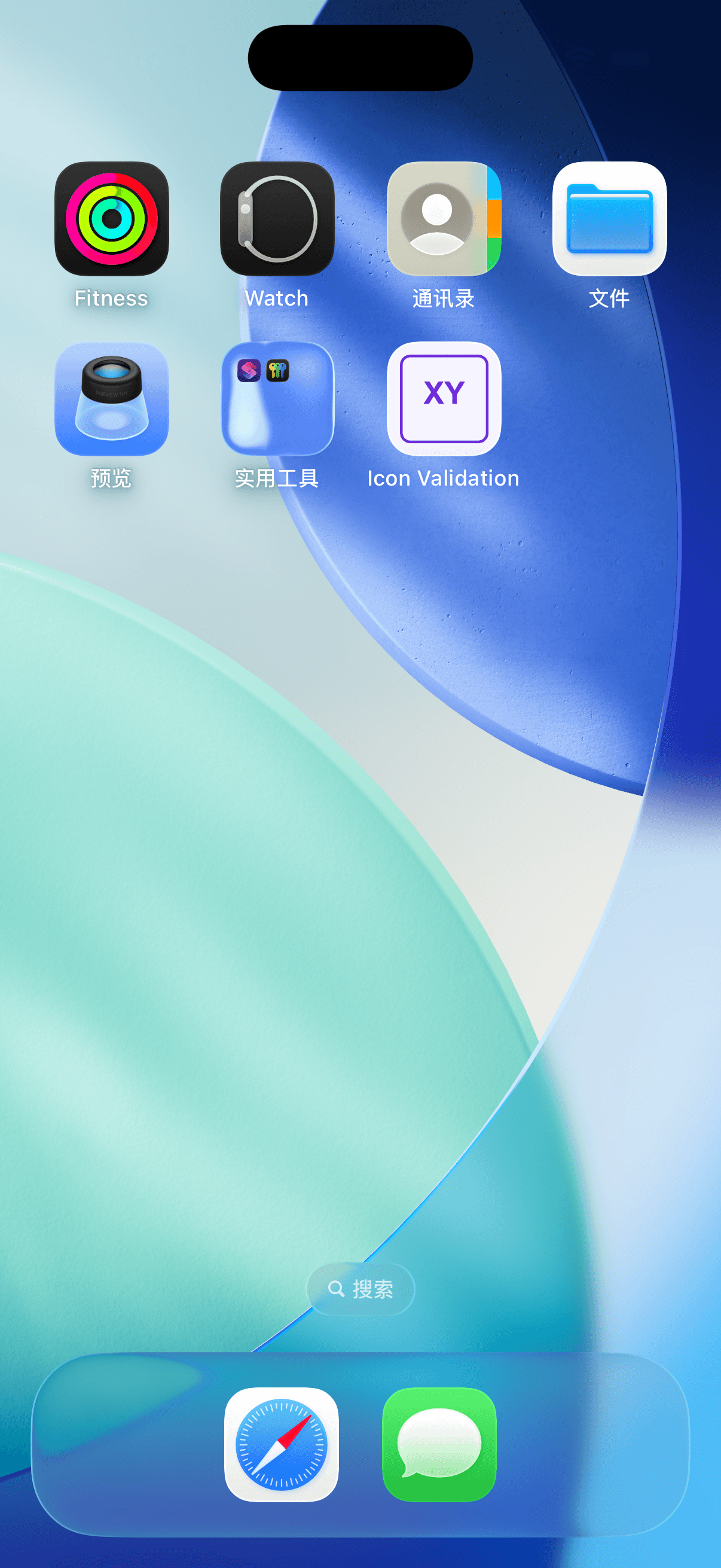
On October 2, 2026, the exported icon was installed in an isolated iPhone 17 simulator running iOS 26.5. The application launched and its original XY icon appeared on the home screen. This verifies that fixture and runtime, not a physical device or App Store acceptance.
Questions about setting an app icon in Xcode
Should I add rounded corners before uploading the source?
Leave the outer platform mask to the system. Use the source image and platform preview to assess spacing rather than baking a home-screen shape into every exported image.
Are dark and tinted appearances included automatically?
The current generator does not create those appearance variants. Preserve or create the variants required by your project using the appropriate Apple workflow.
Does a successful build guarantee App Store acceptance?
No. A build confirms local integration. Store requirements, metadata and review remain separate checks. Inspect the current size guide and Apple’s documentation before preparing a release.
Finish the Xcode import deliberately
Keep the source, imported set and target setting consistent. Build the exact scheme, inspect the installed icon and retain the result with the tool version. If you need to generate a new source first, start with the creation guide.
Author

Categories
More Posts

Introducing AppIconGenerator
Create and preview platform-ready app icon assets for iOS and Android in your browser.

Change App Icons on Android: Images and Icon Packs
Choose Android themes, icon packs or supported custom pictures, check launcher limits and restore your original home-screen icons.
What Is a Monogram? Choose Initials and Make a Useful Small Logo
Understand monograms, choose initials, compare spacing and small-size readability, and create a local logo or an AI design candidate.
Newsletter
Stay Updated
Get the latest app design tips and icon trends delivered to your inbox.