Emblem Logo Design Guide: Build a Badge That Still Reads Small
Design an emblem with a useful enclosure, readable name and simple focal mark. Compare small versions and prepare practical exported files.
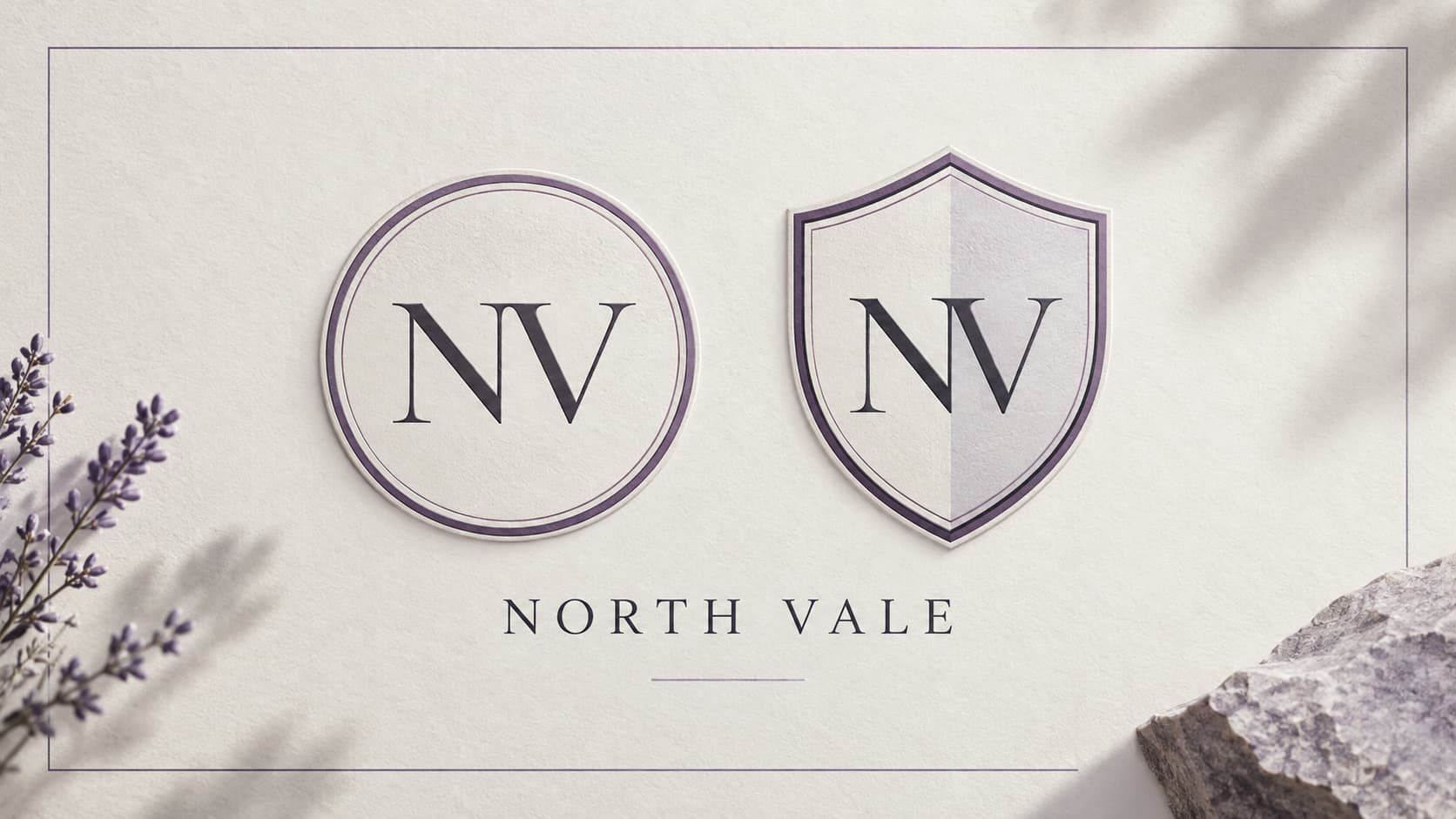
An emblem places a name or symbol inside an enclosing form. A circle, shield or badge can give the elements a clear relationship, but the enclosure also takes space away from the central artwork. Design the complete badge for the place it will be used.
The emblem logo maker offers original local shapes with initials, a name and adjustable color. It is a practical way to compare a circle and shield before requesting a more elaborate AI composition.
Illustration: an original generated design study, not a screenshot, customer result or record of this tool’s output.
Decide what belongs inside the badge
List the essential identity elements first: the name, a short symbol or initials, and perhaps an enclosure. Put optional dates, mottos and detailed illustration to one side. A small application icon cannot comfortably carry every part of a large institutional badge.
Choose one focal element. If the name is the focus, give it enough room to read. If the symbol is the focus, consider placing the full name outside the badge in the wider design system. This is a hierarchy decision, not a requirement to fill every empty area.
Choose an enclosure for its purpose
A circle can make the badge easy to crop into an avatar. A shield can communicate a more formal or protective visual character. A rounded square can relate to a digital interface. These are visual associations to evaluate with your audience, not guarantees about how every person will interpret the mark.
Compare the same initials and colors in two enclosures. That keeps the test focused on shape. If you change the illustration, palette and lettering at the same time, you cannot tell which decision improved clarity.
The local shapes are original starting points. They are not copied seals or a claim that your project has a certification. Use your own name and content rather than borrowing the identity of an institution.
Set a readable name and symbol
Start with simple lettering and a clear center. Long names may need a larger companion wordmark rather than a smaller and smaller font inside the badge. Check counters, letter spacing and the distance between the center and the outer border.
The workspace lets you change the name and initials independently. Try a fictional example, replace both fields with your own identity, and inspect the complete badge. If only the name changes while the initials remain from the sample, the result is not ready to use.
Inspect the badge outside the large preview
Look at the 64 and 32 px versions. Thin outlines and small letters can collapse when rasterized. At a still smaller display, the enclosure may become the most visible element while the actual identity disappears.
Compare a simplified version with fewer details. Removing a secondary line or widening a gap can be more useful than increasing every stroke. The monogram guide provides another way to think about compact initials, and the design tips cover crowded lettering.
For an application, inspect the badge through the platform mask in App Icon Maker. An emblem’s own circle is a design element; the launcher’s outer mask is another boundary. Keep enough separation that the two do not compete.
Prepare exports for their actual destinations
PNG preserves the appearance rendered during export and is useful where the receiving service expects a raster image. SVG keeps editable local lettering, but its font rendering can vary on another device. Check the exported file in the program that will use it.
If you need a transparent background, inspect the empty corners on a checkerboard and open the exported PNG over the destination background. A background color already embedded in an uploaded source is not removed merely by changing the canvas setting.
Keep the editable source and a clear filename for each intended use. An avatar file, an app resource package and a large presentation image should not be treated as interchangeable simply because they contain the same emblem.
Explore a more detailed emblem with AI
The AI Emblem preset can explore a different composition. Describe your own subject, brand name and desired restraint. Review the credit cost before generation, then compare lettering and silhouette with the brief.
A generated PNG is a flattened image. The editor does not automatically reveal separate vector parts or guarantee perfectly spelled curved text. Choose a result you can actually use rather than the most detailed large rendering.
Questions about emblem logos
Does every emblem need a shield?
No. A circle, badge or another enclosing form can serve the same structural role. Choose the form according to the design and destination.
Can an emblem work as an app icon?
Yes, when simplified for the display size. The local preview and a real platform mask help determine which details need changing.
Can I export the local design without AI?
Yes. The original local shapes can be adjusted and exported without an account. AI exploration is a separate credit-based task.
Keep the enclosure useful
Build the hierarchy before decoration, compare small versions and inspect the file where it will be used. The emblem workspace gives you a free starting point for that process.
Author

Categories
More Posts
How to Create a Logo with AI: Write a Brief, Compare and Refine
Create a logo with AI using a clear brief, appropriate style and cost review. Compare real results, inspect lettering and prepare useful files.
AI App Icon Export: Check the Source and ZIP
Move an AI logo into App Icon Maker, inspect its small-size readability and platform masks, and export the resources for your project.
Add a Generated App Icon to Xcode: Asset Catalog Import and Checks
Import an AppIcon.appiconset into Xcode, select the correct target asset, and investigate missing images, alpha and stale app icons.
Newsletter
Stay Updated
Get the latest app design tips and icon trends delivered to your inbox.