Google Play Icon Export Checklist: Inspect the Actual PNG File
Check a Google Play icon’s dimensions, PNG encoding, color space, file size and square artwork before preparing your store listing.
Check the actual Google Play icon PNG before preparing the listing. A filename ending in .png, a square browser preview or a successful ZIP download does not independently prove that the file has the expected encoding and dimensions.
The current Android icon maker includes Android/play_store_512.png separately from the launcher resources. Keep that distinction: the store image presents the application in the listing, while adaptive resources are used by the launcher.
Illustration: an original generated concept, not a screenshot, customer result or platform validation record.
Start with the current store specification
Google Play’s icon design specification defines a 512 × 512 px, 32-bit PNG in sRGB with a maximum size of 1024 KB. It also describes the store’s masking and shadow treatment. Confirm the current source before a release because platform requirements can change.
Prepare a complete square image and leave the store’s outer presentation to Google Play. If your artwork already contains rounded outside corners or an artificial outer shadow, reconsider that source before checking the bytes: a technically valid PNG can still be poorly prepared artwork.
Confirm which file you are examining
Extract the exported ZIP and locate play_store_512.png. Do not inspect a thumbnail generated by your operating system or one of the density-specific launcher images. Those can look similar while serving different purposes.
Keep the source ZIP until your checks are complete. If you modify the extracted image in another editor, check the modified file again. The original export result no longer describes a file that was recompressed, renamed or converted afterwards.
Inspect dimensions and PNG encoding
Open the file in a tool that can report pixel dimensions and format. On macOS, an initial dimension check is:
sips -g pixelWidth -g pixelHeight -g format play_store_512.pngThis gives useful evidence for size and format, but it does not cover every PNG property. A more complete image inspector can report channel depth and color information. In particular, “8 bits per channel” in an RGBA image describes four channels and therefore a 32-bit pixel; do not confuse that with an indexed 8-bit PNG.
The export pipeline checks the final PNG structure before building the ZIP. If it reports a validation error, keep the message and fix the source or output path rather than changing only the extension. Renaming JPEG bytes to .png is not a conversion.
Check the color space and file size
Verify sRGB in the file inspector or in a PNG metadata check. Editing in a wide-gamut or print-oriented workspace can leave a different color interpretation after conversion. Reopen the final exported image and compare the actual result, not only the editor’s canvas.
Then check its byte size. On macOS or Linux:
wc -c < play_store_512.pngUse bytes for an unambiguous result rather than a rounded file-manager label. If the file exceeds the current limit, remove unnecessary detail or regenerate the image with suitable PNG encoding. Check format, depth and dimensions again after optimization; a smaller file is not useful if it changes the required output properties.
A measured local export example
This original XY test image was produced by the current export functions on October 1, 2026, using a local Canvas compatibility run (@napi-rs/canvas 1.0.9). The extracted play_store_512.png is 512 × 512 px, 8-bit RGBA (32 bits per pixel), includes an sRGB chunk and is 8,482 bytes. Use the file to practice checking dimensions, encoding and byte size.
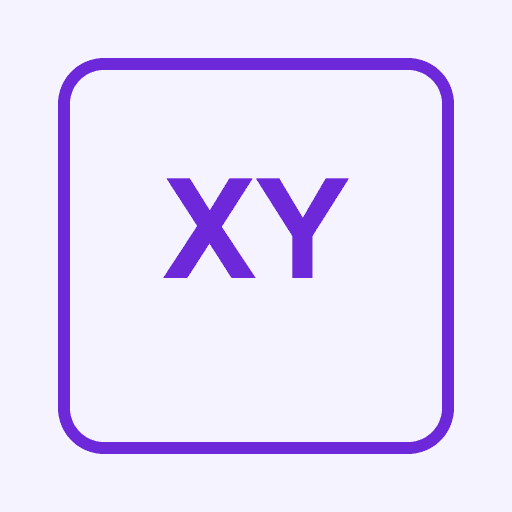
Download the original example PNG
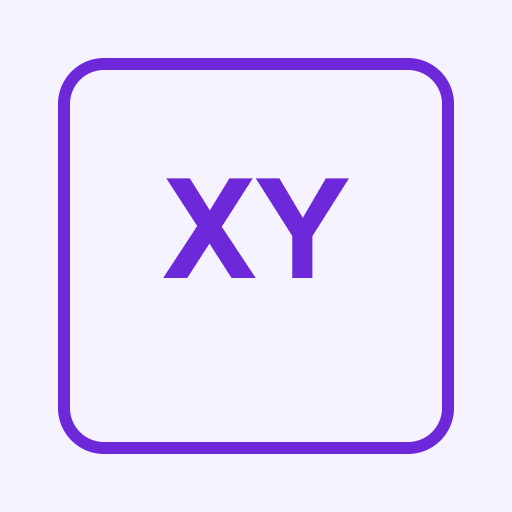
This is file-output evidence. Browser downloading, installed-app appearance and Play Console acceptance remain separate checks.
Review the artwork at listing scale
Look for a clear silhouette, sufficient contrast and readable details. The listing icon is not a poster. A full application name, fine texture or multiple small symbols may become indistinct when displayed beside other apps.
The design tips explain how to compare a short monogram and crowded lettering. For a predictable starting point, the template library offers original local designs. Their visual clarity is an example to inspect, not a promise about store click-through rates.
Keep an export record
Record the file name, dimensions, encoding, color space, byte size and date. If you repeat the export, distinguish the new file from the earlier copy. This makes it easier to identify which asset was eventually selected in the listing interface.
A browser export and local file check do not submit the store listing. Review the selected file in Play Console and handle any portal validation separately. Keep screenshots of actual portal results only when you perform that step; do not infer acceptance from a local green message.
Questions about Google Play icon export
Is the store PNG also the Android adaptive foreground?
It is a different asset. An adaptive icon uses foreground and background layers, while the store image is a complete square. Check the Android cropping guide for the layer workflow.
Why does changing the extension not fix the format?
The extension is a label. The file’s bytes determine its encoding. Open it in an image tool and perform a genuine conversion or export.
Can a valid file still look wrong?
Yes. Encoding checks do not judge composition. Inspect the small image and the store presentation as well as the file properties.
Your final check
Verify the specific PNG you will use, retain its measured properties and check any edited replacement again. The size guide connects store dimensions with the related platform outputs.
Author

Categories
More Posts
Change App Icons on iPhone with Shortcuts
Create an Open App shortcut, choose a custom home-screen image and learn what changes, what stays and how to restore your layout.
AI App Icon Export: Check the Source and ZIP
Move an AI logo into App Icon Maker, inspect its small-size readability and platform masks, and export the resources for your project.
App Icon Updates: Layers and Platform Resources
Review current Apple and Android icon workflows, separate source design from platform packaging, and update assets without losing useful variants.
Newsletter
Stay Updated
Get the latest app design tips and icon trends delivered to your inbox.